

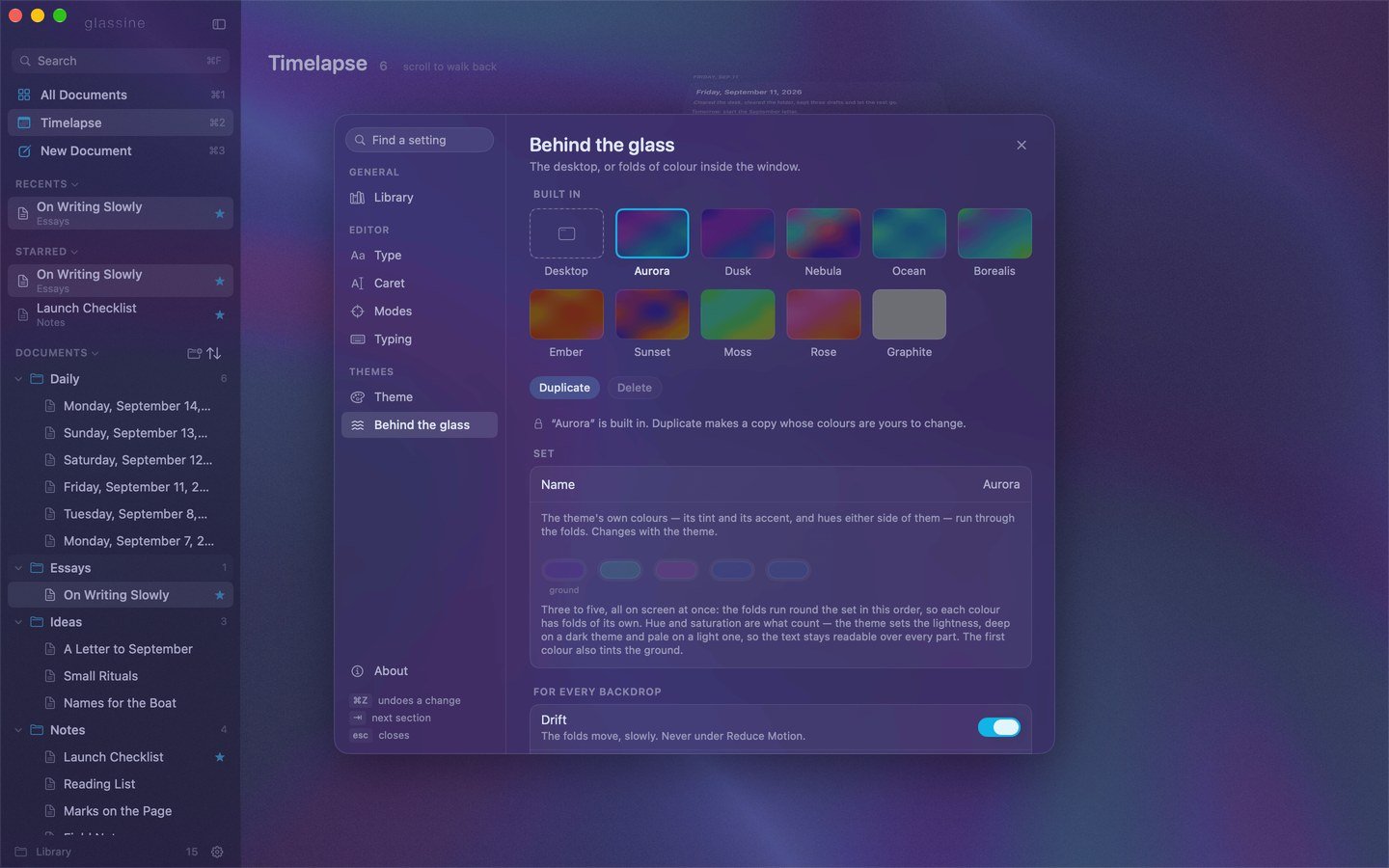
Built in
Eight, Soft Sky first — the one the app comes with.
The dark looks keep their folds deep: three colours each, near each other on the wheel, so a look reads as one sky, one water, one wood rather than a spill of everything.
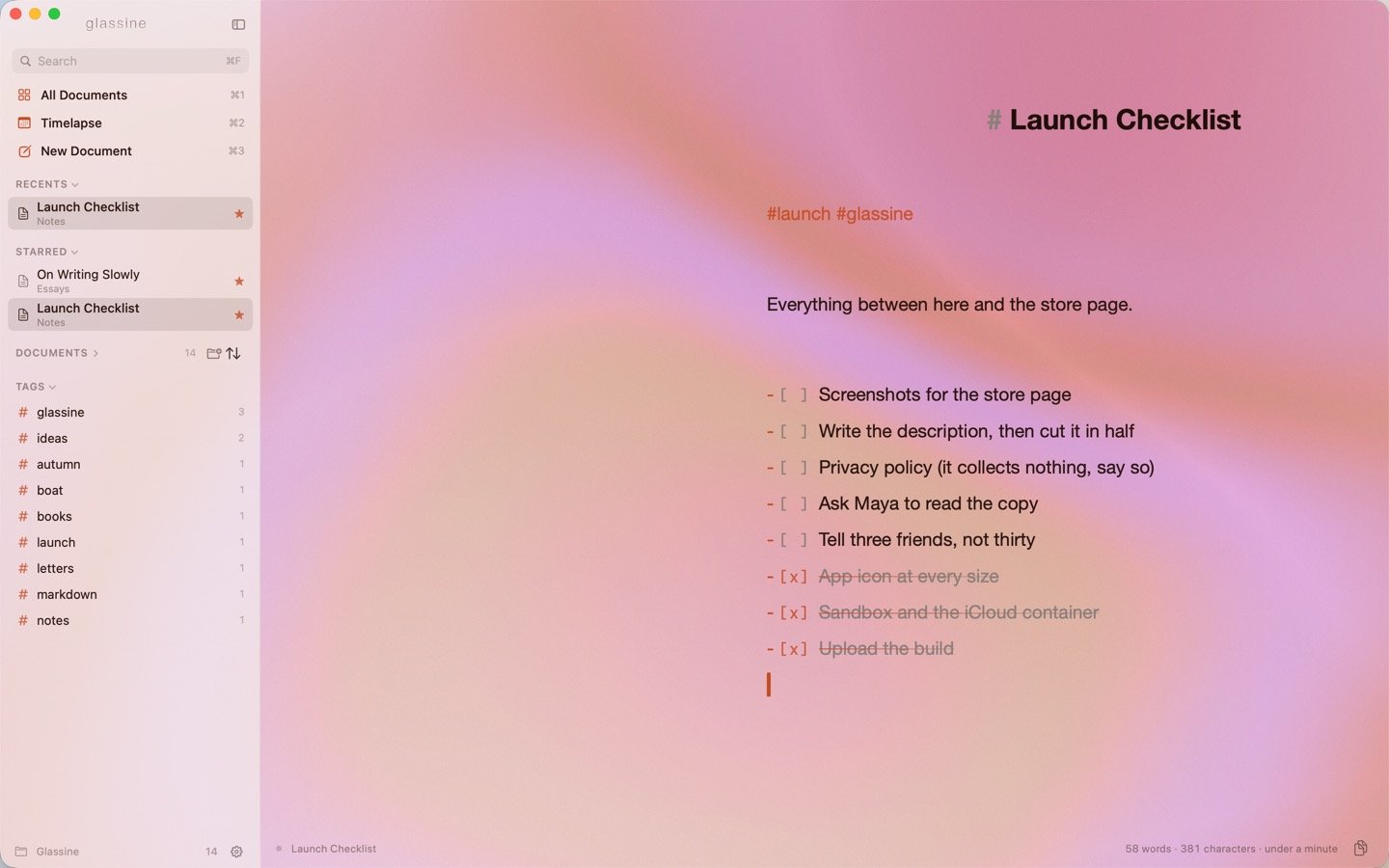
Linen: a launch checklist on a light page.
Following the system
Settings → Look → Appearance. Always the chosen look keeps whatever you picked. Follow the system takes one light look and one dark look — Linen and Soft Sky to begin with — and switches between them when macOS does.Your own
Built-in looks cannot be edited, but any of them can be the starting point.1
Duplicate
Click the tile closest to what you want and press Duplicate. A copy appears under Mine, goes on at once, and everything under it unlocks.
2
Change, and watch
Everything you change is live in the window behind the card — every colour, the glass, the folds — so you can judge it on your own text. A look of yours is edited in place; there is nothing to save.
3
Name it, or let it go
The name is the first row. Delete removes a look of yours.
What you can change
Name, and whether it is a dark appearance — a dark page over deep folds, or a light page over pale ones. (This also decides the GitHub Review style’s colours, and which slot the look fills when following the system.) The page. Nine colours: Text, Headings, Accent, Markdown syntax, Quotes, Code, Links, Caret and Selection. The accent is the most visible: it colours tags, date capsules, task boxes, the star, the selected sidebar row and, unless you set one, the caret. Then the glass the page is set in — its material, from a list:
Then the tint colour, tint strength (how much of the blur it covers), and sidebar tint (how strongly the sidebar’s own darker tint is applied).
Behind the glass. Folds of colour or The desktop. The folds are a set of three to five colours, in wells: change any, remove one (down to three) or add one (up to five). All of them are on screen at once — the folds run round the set in this order, so each colour has folds of its own. Hue and saturation are what count; the first colour also tints the ground.
Every backdrop takes its lightness from the theme, and is built dark first: on a dark theme the ground is close to black and the colour lives in the folds, deep rather than bright, so pale text stays readable over every part of it; a light theme gets the same folds as a pale morning. The theme’s tint and grain still lie over it, and the sidebar is a veil over it.
The folds are drawn by a small program on the graphics processor — a field of noise warped through itself, read as bands and lit — at a quarter of the window’s size, since there is nothing sharp in them, so they cost the writing nothing.
Drift moves the folds, slowly — the picture a few minutes from now is a different one, but no moment of it moves enough to catch the eye. Twenty frames a second while the window can be seen, none while it is covered. Off under Reduce Motion, and off with the switch: a still picture then.
Frost pales and softens the colour, the way frosted glass does — gently at first, since a little haze goes a long way over a dark ground, and all the way at 100%: at 0 the folds are as deep as they get; at 30%, the default, they are barely touched; at 100% they are a soft tint under a veil of light, their edges gone.
Paper grain lies over the folds the way a theme’s grain lies over the desktop’s blur — a fine, still texture that keeps the colour from looking like a render. It is a setting of its own here rather than the theme’s, since silk wants more of it than glass: 8% is the default, against the themes’ 4 or 5.
With the desktop behind the glass instead, the window is a blur of whatever is behind it — the wallpaper, and the windows behind — under the page’s own paper grain.
Sharing a look
Export… writes the look on screen to a file,Name.glassinelook.json, with everything it needs inside — the page’s colours and glass, and the folds — so the file is the whole look whatever is on the other Mac. Import… reads one: it joins Mine and goes on at once. A file is easy to keep in a dotfiles repo, send to someone, or post.