

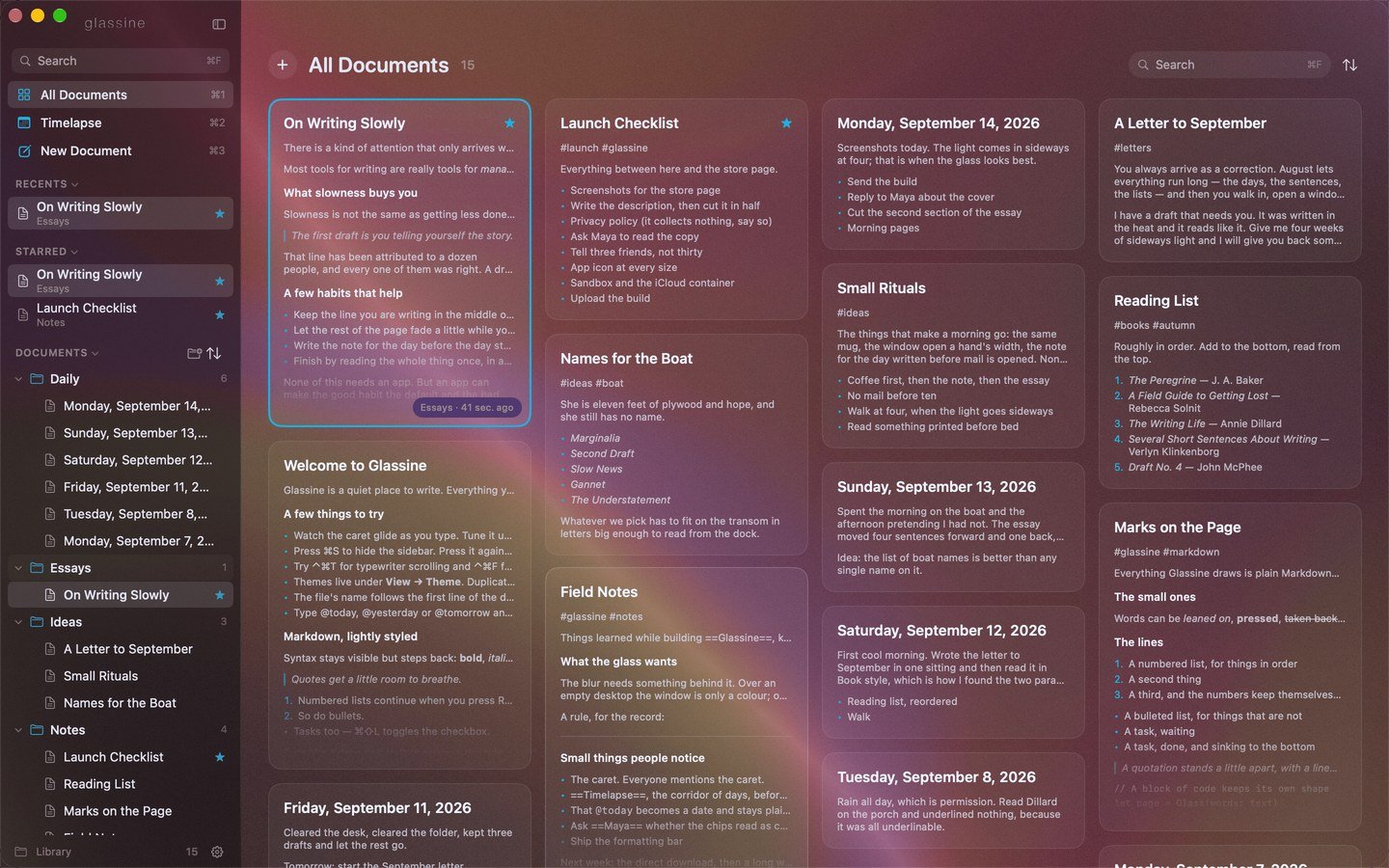
⌘1, ⌘P, the grid row at the top of the sidebar, Esc from the editor, or automatically when nothing is open. Every document that is not on the Shelf becomes a card with its title and a small rendered preview of its first lines, Craft-style. Cards fall into columns shortest-first so the wall stays level, and the document currently open wears a thin accent outline.

Moving around

Clicking a card opens it, and the card grows into the page: a matched-geometry plate that takes the card’s frame and expands to the editor, then fades. Going back with Esc runs the same film in reverse — the page shrinks into its card. Under Reduce Motion both are instant.

Sorting

The arrows button in the header (and in the sidebar’s Documents header, and the ⌘K command bar) sorts by Last edited, Name or Date created. The sort applies to the sidebar as well.

Searching and filtering

The search field lives in the header here. ⌘F glides it to the middle of the window and gives it the keyboard, and the wall filters live as you type; the top result is selected, so Return opens it. A tag chosen in the sidebar filters the wall too, and the tag’s name appears in the header with a ⓧ to clear it. The search page has the details.

The right-click menu

Open, Open in Review, Star, Rename…, Duplicate, Copy as Markdown, Copy as Rich Text, Move To (any folder, or the top level), Shelve, Reveal in Finder, and Move to Trash. It is the same menu the sidebar offers, plus the two ways to open.

Small things

Cards arrive in a soft cascade when the wall appears, lift slightly on hover, and their stars spring in. A library with nothing in it shows a leaf and a New Document button; a search with no matches says so.