

Library
Location — where the library is, with Reveal in Finder, Change… to pick another folder, and Use iCloud Drive to return to the default. A line beneath says whether the folder syncs. Sync — the library kept in a private GitHub repository of yours, for a Mac you’d rather not sign into iCloud on, and for a history of every note. Connect… takes a repository and a token (or, once Glassine is registered for it, a sign-in on github.com with a code); connected, the panel shows the repository, how the sync stands, Sync Now and Disconnect. Off until you connect. See sync with GitHub. Files
Saving — a note that nothing needs saving: changes are written about half a second after you stop typing and at least every few seconds while you type.
Type
Face
Rhythm
Headings and marks
Page
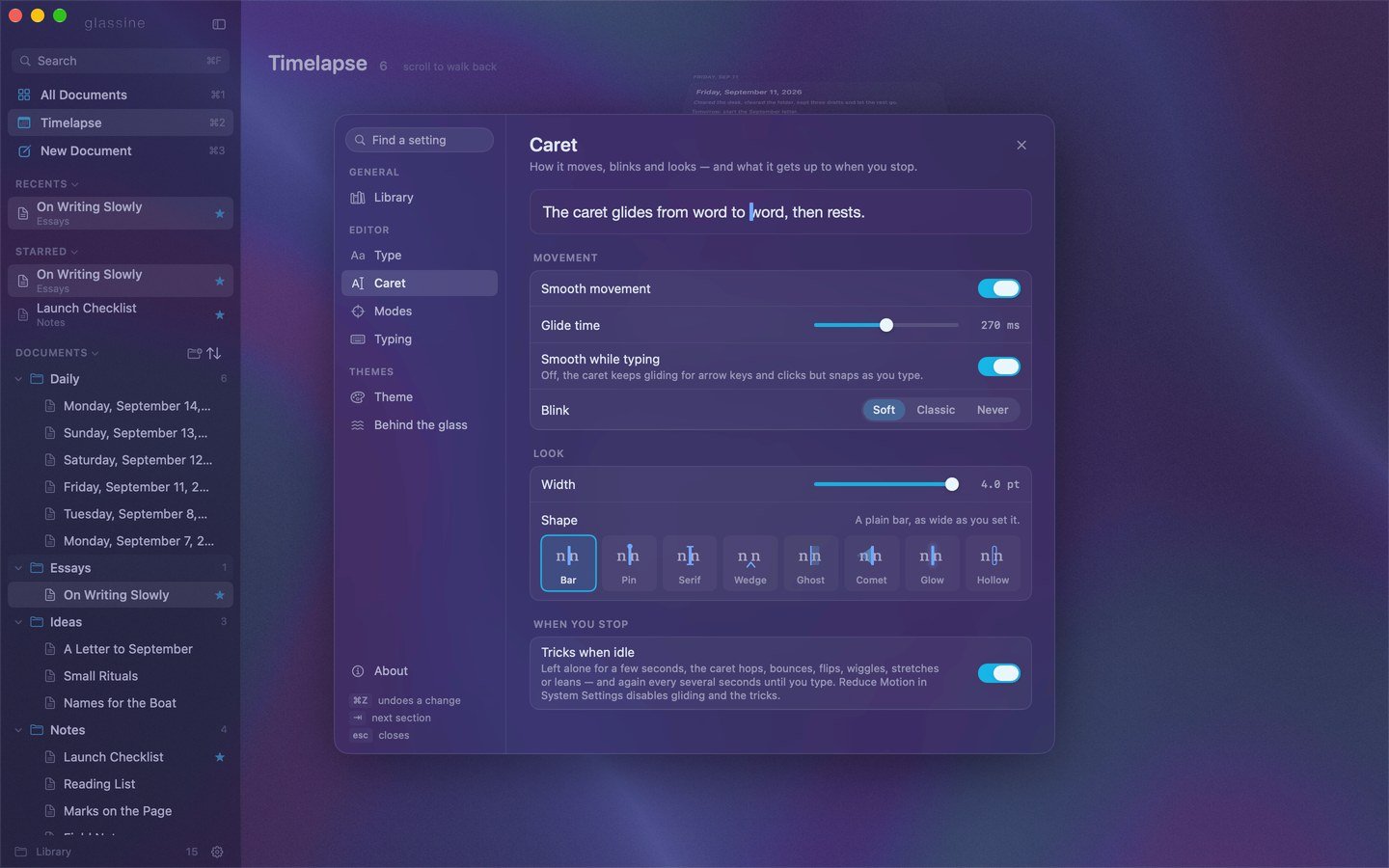
Caret
Movement
Look
When you stop
The caret uses the theme’s caret colour, usually the accent. Reduce Motion in System Settings disables gliding and the tricks.
Modes
Typing
Look
How the window looks, as one setting. See looks.
Under those, the makings of the look on screen — for looking at on a built-in look, for changing on one of yours, everything live behind the card: